 Our customer support is available 24/7:


Different Types Of Pay Stub Paper And How To Print One

There are three common types of pay stub paper. They include the software-friendly pay stub paper, standard printer paper, and business checks. Business owners who issue physical paychecks need to choose the right pay stub paper.
Direct deposit and digital payroll processing are now popular. However, many employers and employees still prefer to have a physical record. Therefore, this guide explains the main types of pay stub paper. This will help you to find the best fit for your payroll system, budget, and security needs if you need to create pay stubs.
The Two Primary Types of Pay Stubs
Right before we explain pay stub paper types, it's important for you to understand the types of pay stubs. Most businesses today use a hybrid approach. However, what paper pay stub you use depends on the type of pay stub that your business uses. The two major types typically include:
1. Physical Paper Pay Stub
Physical pay stubs are usually printed on paper and distributed with employees' paychecks. Even when using direct deposit or cash as a preferred payment method, employers can still distribute these physical pay stubs to employees who want them. Although this mostly works in opt-out states. These are states with requirements to offer paper stubs if an employee requests them.
Physical pay stubs are an accessible record of earnings that employees receive. Especially for employees who don't have access to a computer, this pay stub option works for them. You can use it as pay stub proof of income for loan applications, rental apartments, or car loans. For small business owners with a small number of workers, they can decide to adopt paper checks and stubs. Typically, it is straightforward and cost-effective. It doesn't require any type of complex payroll software.
2. Electronic Payroll Processing Pay Stubs
Electronic pay stubs are pay stubs that are usually created online. Employers usually create an employee pay stub using payroll software or other systems. Employees receive their digital pay stubs through their email or their employee portal. Most businesses using electronic pay stubs may still need to print payroll checks.
Electronic pay stubs work primarily for companies with larger employee bases. One benefit of this pay stub is that it reduces clutter, since it works digitally.
Also check:Choose a paystub template here.
Types of Pay Stub Paper for Your Business
Now, we'll discuss the main categories of paper businesses use for printing paychecks. Each of these types has a different purpose in the payroll ecosystem.
1. Software-Friendly Pay Stub Paper
This is a specialized paystub paper that is designed for businesses to use with payroll software. If you use payroll systems to calculate wages and generate stubs, you can use this to print physical copies. This paper is compatible with most printing setups. It often comes pre-perforated, and this allows you to separate the check and stub easily.
It also includes security markings like a "VOID" pantograph. It's often formatted for MICR ink (magnetic ink) printers. Most financial institutions require this for processing business checks. Using the correct software-friendly paper ensures that the format from your digital template appears perfectly on the physical page. While it does this, it still maintains all the important pay stub information.
2. Standard Printer Paper/Regular Paper
A standard printed paper is the most versatile and cost-effective option for businesses to use. Basically, it is regular paper. It works for businesses that use direct deposit but still provide a paper pay stub summary. It is also for those who print payroll checks in-house without any specialized check stock.
A major benefit that it offers is that it has low costs, and you can design freely. You can adjust it with templates you find online and create a customizable format. However, using standard printer paper is not always secure. It lacks built-in security, and they are usually prone to more fraud. They may not meet all bank requirements for business transactions. Therefore, you need to be careful while handling this paper pay stub.
3. Business Paper Checks
If you're looking for maximum security, the fact is, business checks work best. They are check stock with fraud-prevention features. They include watermarks, intricate background patterns, an anti-splice backer, and a MICR ink line. It meets the Check-21 compliance standards for banking. When you print payroll checks on this paper, you can protect your company and your employees.
Business checks are a great option for business-to-business payments and for employers who particularly have privacy concerns. It's more expensive than standard printer paper. Therefore, it makes up for this by offering security for printing paychecks.
Read more:What Is Advice Number On Pay Stub, And Is It The Same As Direct Deposit Advice?
How To Print Your Physical Paystub Paper (Or Print Payroll Checks)
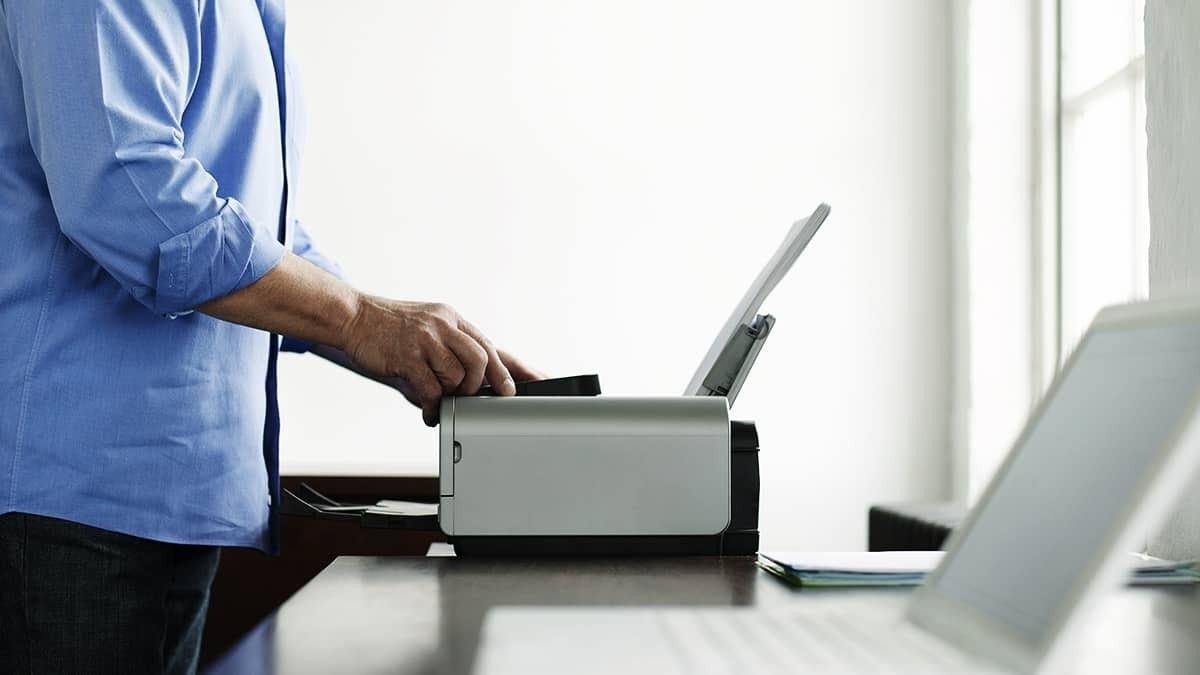
Small business owners or contractors should know how to prepare and print stubs. Here's how:
1. Choose Your Template and Paper Type
The first thing to do is to decide on which kind of pay stub paper you're using. Then, select a format. You can always find free templates online or design your own. Remember that your template needs to contain all necessary details. It must include your gross pay, deductions, net wages, pay period, and YTD totals.
2. Gather Information and Calculate
This involves preparing all employee data for the period. To do this:
Calculate the gross pay
Subtract all tax and non-tax deductions
Determine the net pay
While calculating, it's important that you make sure that it's accurate. And this is why it's always better to use payroll software, even if you decide to print on paper later. It can help to reduce errors.
3. Configure Your Printer and Print
If you're using business checks or software-friendly paper, ensure your printer is compatible with it. For checks, you may need to use a printer for MICR ink and load them correctly. Before you print fully, do a test print on regular paper first in order to adjust the format and placement.
4. Distribute and Secure
Once you've printed the pay stub, separate the stubs along perforations if they're present. Then, put the checks and stubs into envelopes, stamp them, and distribute them. For checks or pay stubs items you're not using, store them properly.
Further reading:Do Paychecks Expire? How Long Is A Payroll Check Good For
Final Thoughts
While deciding which payroll method to use, it's important that it complies with state laws regarding pay stub delivery. Some states require employers to provide a physical paper pay stub, while others allow electronic ones. Always check your requirements. Also, when choosing your pay stub paper, consider your budget and resources, your team's size, and your security needs. Properly assessing your payroll process can help you choose the right paper for your business.
If you'd like to create your own paystub, be sure to try our paystub generator today!

