What You Should Know About Our Pay Stub Templates
Our pay stub template is not just a random layout. We offer multiple ready-made styles and formats so you can quickly create detailed, customized pay stubs that match your needs. Every individual and organization using the template can create their own detailed and customized pay stubs, tailored to their specific needs.
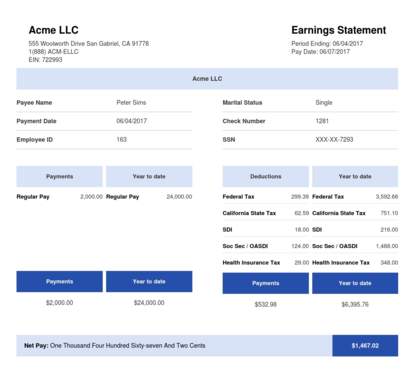
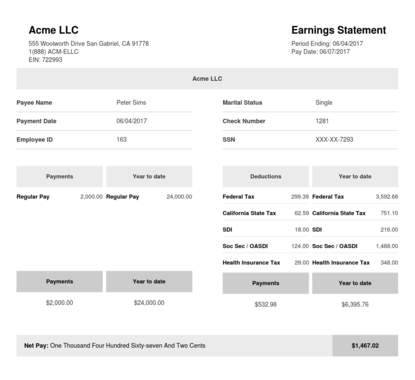
With our pay stub template, you can quickly create and download an accurate and professional earnings statement. Each layout includes fields for employee identification details, company information, and salary information for every pay period. So, nothing important is missed.
Here is the best part! We offer the right pay stub template for you, whether you are a business owner, freelancer, or independent contractor. Every template is structured to include all the required information in the right places and with the correct dates.
Using our pay stubs template is a simple way to reduce manual errors and speed up the payroll process. So, you can stay focused on running your business while your pay stub documents stay clear, consistent, and professional.
Who Is a Pay Stub Template For?
We have multiple pay stub templates that are built for anyone who needs clear, professional payroll documents, including:
- Employees looking for proof of income
- Business owners streamlining payroll
- Independent contractors needing documentation
- Freelancers managing their earnings
If you need to generate pay stubs, you can choose from multiple pay stub templates that are customizable and designed to suit your specific needs, while still giving you all the necessary information about your document.
Why Do You Need Our Pay Stub Template?
Our pay stub template gives you an easy, professional way to handle everyday payroll needs. This includes everything from employee documentation to managing payroll processes with less stress. You shouldn’t go through the stress of building new forms from scratch. You can rely on our templates to keep everything clean, consistent, and ready when you need it.
You can use a pay stub template to:
Show proof of income
Need pay stubs for a loan, rental application, or income verification? Our template helps you generate clean, professional documents you can submit anywhere.
Track your pay
You can easily see your earnings, deductions, and net pay without any confusion. Everything in the pay stub template is clearly laid out. This is so that you can understand all the details at a glance.
Manage payroll records and tax filing
For employers and self-employed individuals, the template keeps payroll consistent and organized. This makes tax filing and tax season feel effortless.
Provide accurate records for reporting
You need a well-structured pay stub to make it easy to report and record your finances.
Make audits easier
When your records are organized, it makes audits easier. Having complete pay stubs helps you stay compliant and prepared.
Using a pay stubs template is a major time-saver, especially during tax season. And with our paystub template, your payroll documents are easy to store, search, and retrieve at any time.
What Does a Paystub Template Contain?
Our pay stub template is built to include the most important employee information, so your pay stub documents stay clear, complete, and professional. Each section is structured to support accurate record-keeping. Also, to make it easier for you to generate accurate pay stubs with our online tools.
Here’s what you can expect to find in our check stub template:
Employee Details
This section lists the key employee details you need on every stub. You will see the full name, employee ID number, and the last four digits of the Social Security number. It will also show the employee’s address and other relevant information.
Having these details in one place links your payroll documents directly to the employee’s tax forms. This helps keep your records organized.
Earnings Statement
This gives you a clear breakdown of the employee's earnings. Our template includes fields for the pay period, hourly rate, overtime hours, and other actual payment details.
It also shows the end date for the pay period, along with the pay date, so every payment is easy to track. This clear layout supports accurate record keeping and better payroll practices.
Gross Wages, Deductions and Net Pay
Our pay stub template shows all key payment information at a glance. You can see total gross pay and all tax withholdings, including federal and state taxes, Social Security taxes, health insurance, and retirement contributions.
This part of the pay stub documents is essential for tax filing, since it lists all deductions and net pay details for your payroll processes. It also supports YTD totals, which are important during tax season and audits.
Direct Deposit and Other Payment Methods
Payment method is another important part of a professional pay stub. Our pay stub template indicates whether direct deposit is used and can include a masked account number if needed for tracking.
Some independent contractors or employees may decide to split payments across multiple accounts. There is space to show the amounts and bank details for each deposit. This keeps payment information transparent and easy to verify for everyone involved.
Types of Paystub Templates
Whether you're looking to use a basic pay stub template or one that is detailed enough to work with, we've got it. Each type has its own specific formats and fits best into different functions.
Some work best for individual contractors, while small businesses might need a custom-built stub. The important thing is picking one that suits your specific needs:
Basic Pay Stub Template
The most common type of pay stub template is the basic paystub template. It is a simple pay stub template that lists the most essential details. These include the employee's hourly rate, gross wages, employee contributions, pay date deductions and net pay.
Basic pay stubs serve as a simplified form of a pay stub template. It lists hours, rate, gross pay, deductions, and net pay. It may be ideal for salaried staff with simple pay or small businesses and individual contractors.
The basic pay stub template is often the default in Google Sheets or Google Docs. The deductions column of the basic pay stub template shows federal tax, Social Security taxes, and Medicare.
Pay Stub With PTO and Overtime
Some teams may require a lot more than a basic pay stub template. Here is where a pay stub with PTO and overtime comes in. Alongside the details on a basic pay stub template, you can find a column for hours accrued, used, and remaining.
You will also find employee information on overtime hours and the pay rate. This template may be ideal for hourly workers.
Contractor Pay Stubs
This type of pay stub template differs from the standard format of a paycheck stub template. You can find more invoices and client references. Contractor pay stubs do not have employer contributions.
While they show details of contractor payments, there is no information on employer withholdings. Details like health insurance are not included. It primarily acts as proof of income for contractors.
Electronic Pay Stubs
These are the digital pay stubs that are speedily gaining popularity across many payroll systems. They are much easier to store, which makes the pay stub issuing process seamless. Electronic pay stubs are easy to synchronize with modern payroll software. This makes it easier to update records, run reports, and keep everything consistent inside your payroll system.
With our online tool, you can easily generate one using a pay stub generator. Many payroll processes now rely on a check stub creator to create pay stubs in minutes, and our platform is designed to give you fast, professional results every time.
Printed Check Stub Template
Printed check stubs, more commonly known as paper checks, still exist. Most companies have a standard template they use to generate their paper checks. It usually has the company details and the company logo. For a small business, an online paystub generator can be used to create printed check stubs.
How Our Pay Stub Template Works
Creating and issuing pay stubs is now made easy with our free pay stub templates. Here’s how to create your pay stubs:
1. Choose a Template
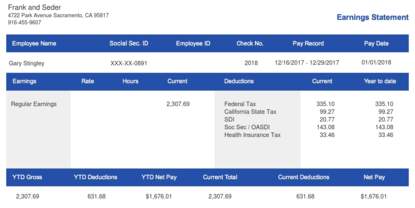
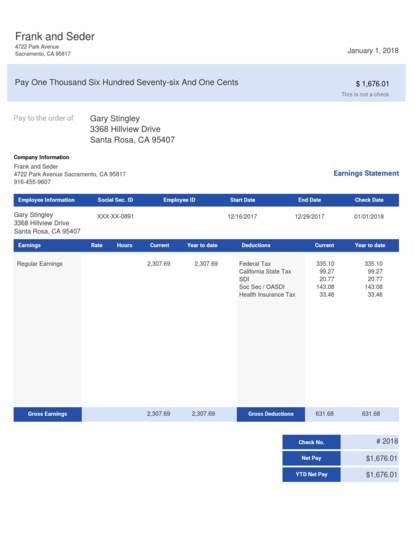
Choose a template from one of our ready-to-use templates. The templates available include:
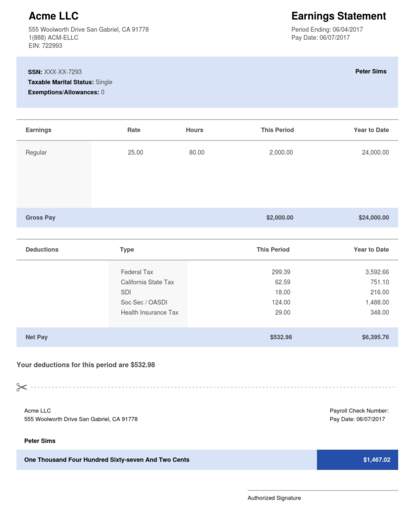
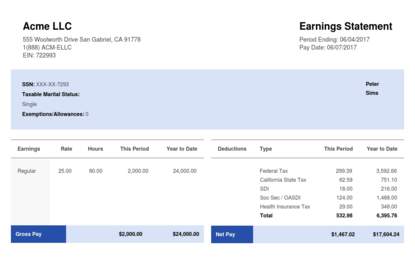
- Horizontal Blue Template
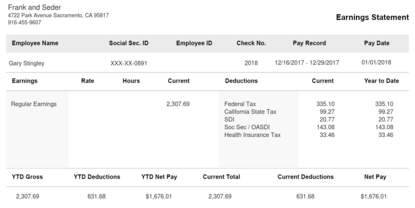
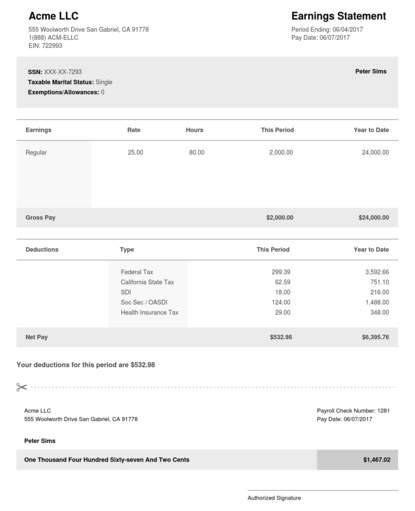
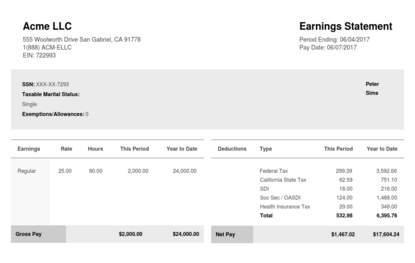
- Horizontal Black Template
- Vertical Blue Template
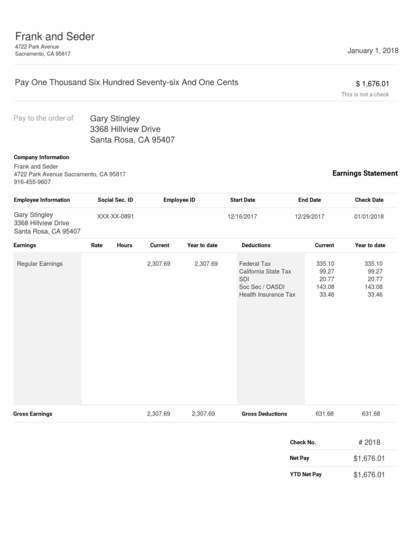
- Vertical Black Template
- ADP Pay Stub Template - Blue
- ADP Pay Stub Template - Black & White
- Rectangular Horizontal Blue & White Paystub
- Rectangular Horizontal Black & White Paystub
- Square Blue & White Paystub
- Square Black & White Paystub
2. Enter Your Information
Fill in all the boxes with your necessary information. In the first section, you'll have to include your company information. This includes the company's name, address, and logo (optional). Fill in your employee and salary information next. Don't worry about missing any important detail in your forms; just fill in the blank boxes.
3. Preview and Download Your Pay Stub
Enter your email address into the box provided. It’s where you’ll receive your download pay stub. Don’t forget to preview your document to see how it looks. If you’re satisfied, download it immediately!
Other Ways to Create Your Pay Stub
The different ways to create pay stubs. At the end of the day, compliant pay stub documents must be accurate, reliable, and clear.
Here are some of the top ways you can create a pay stub. Choose the one that suits your specific objectives and budget:
Using an Online Pay Stub Generator
Using a paycheck stub generator is one of the most reliable ways of generating pay stubs for your business. Our online tool is perfect for creating quick and reliable professional pay stubs that align with federal labor laws and state laws. If you want compliance, accuracy, and fast delivery in your payroll process, our stub creator is the smarter choice. Just make sure you always enter the right details.
Some platforms offer free pay stub templates, while others use a paid plan. Our tools are built to do more than just look good. They are reliable for generating pay stubs that are accurate and easy to read. They are designed to stay in alignment with all applicable labor laws, so you can focus on running your business with confidence.
Free Pay Stub Template With Google Docs
Using Google Docs is another way to create free paystub templates that detail employees’ earnings. It works perfectly for single-use pay stubs or small-scale payroll processes and documentation. Generating pay stubs using Google Docs can give you a clean layout with customizable tables.
Fill in the right details and save it as a shareable PDF that is easy to brand using your company logo. It may be ideal when you need printable stubs for one-off payments or contractors. You can make your own paystub template free of charge from the comfort of your home.
Note: Templates help structure your information, but compliance depends on entering accurate payroll data and following state-specific paycheck requirements.
When To Use Payroll Software
Now that you know how to use a pay stub generator to create pay stubs, where does payroll software come in? If you run payroll every pay period, then you need payroll software when issuing pay stubs. Integrated payroll systems can help you automate many pay stub calculations, including net pay and gross pay.
It can also help you produce electronic paycheck stubs automatically. Payroll software is perfect for keeping and tracking audit trails for a long time.
Pay Stub Example for Google Sheets and Docs
If you will be using Google Docs or Google Sheets (spreadsheet template) when creating paycheck stubs, you need to follow a format. Here is a compliant sample that aligns with labor laws.
- Company name, address, and logo
- Employee name, ID, and address
- Pay period: 01/01–01/15
- Pay date: 01/15/2025
- Earnings: Hours, Employee Hourly rate, Regular earnings, Overtime pay
- Deductions: Federal tax, state tax, Social Security, Medicare, health insurance, retirement contributions
- Total gross pay: $3,000 (gross wages / total gross pay)
- Total deductions: $200
- Net pay: $2800
- Payment method: Direct deposit to bank account. Include bank account details
This format may be ideal for both printed paper check stubs and shareable digital check stubs in PDFs.
Bottom Line
A clear paycheck stub template saves time and builds trust. It can also help you stay compliant and ready for tax season. When you use our tools, you get a basic pay stub template that is already structured for accuracy. So, you can generate professional pay stubs in just a few clicks.
Want to use a free check stub template? Start with our stub creator to customize it for your company. Add your details, and download a polished pay stub you can share instantly.
 Our customer support is available 24/7: