Our customer support is available 24/7:

Make your 1099 form in minutes. Simple to use, accurate and ready to download.
Paid a contractor or freelancer this year? If any one of them earned $2,000 or more from you, a 1099 form is probably due.
Our 1099 generator at PayStubCreator.net fills in the boxes and gives you a clean PDF. Preview free, pay only at download.
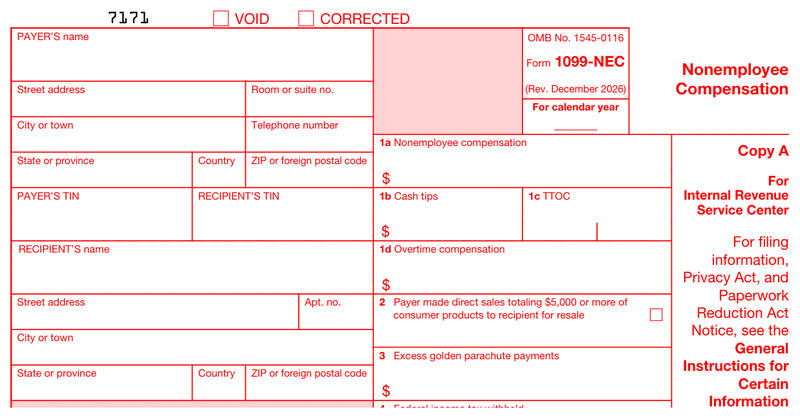
Paid a freelancer or contractor $600 or more? That's the NEC. It reports contractor pay to the IRS - and volume pricing makes batch filings for several contractors cheaper per form.
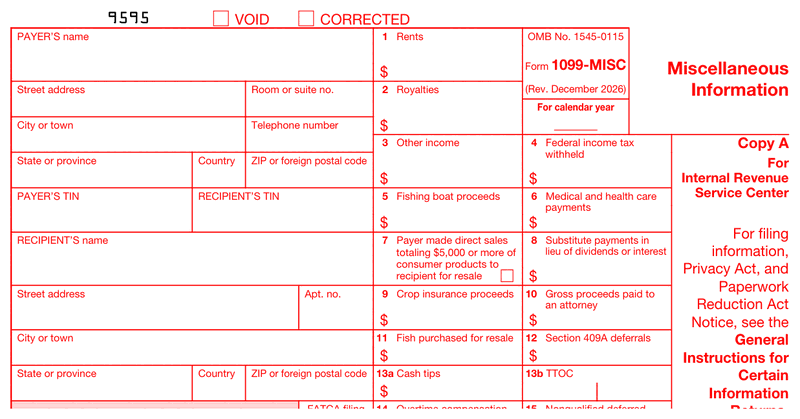
Rents, prizes, awards, medical payments and other one-off income. If it isn't wages and it isn't contractor compensation, the MISC is usually where it goes.
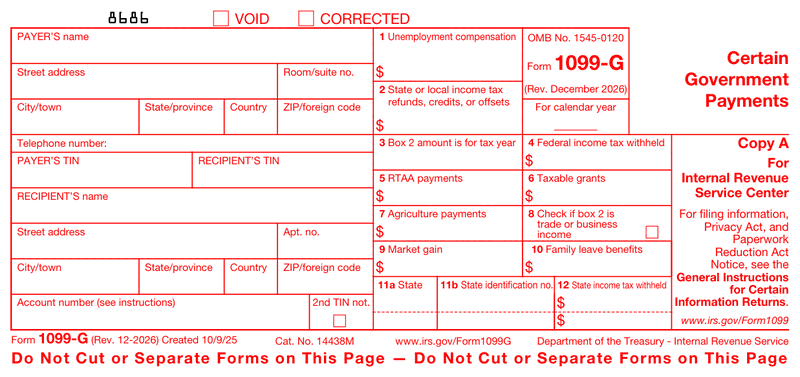
Issued by federal, state and local agencies for unemployment compensation, state tax refunds and similar payments. Useful when you need to recreate one for your records.
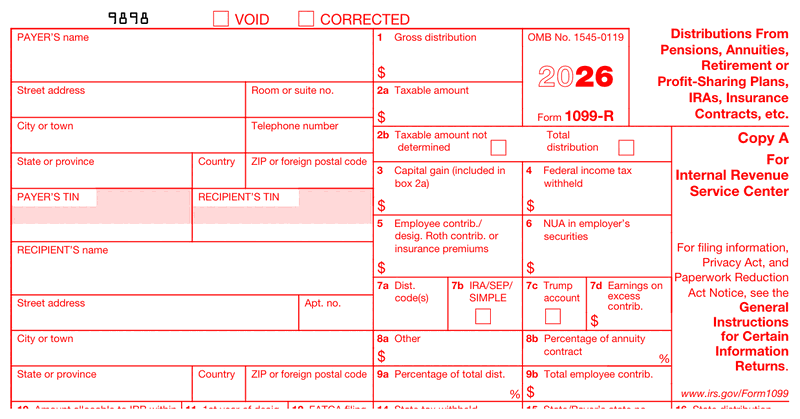
Covers distributions from pensions, annuities, IRAs and profit-sharing plans. If money left a retirement account, the 1099-R is how it gets reported.
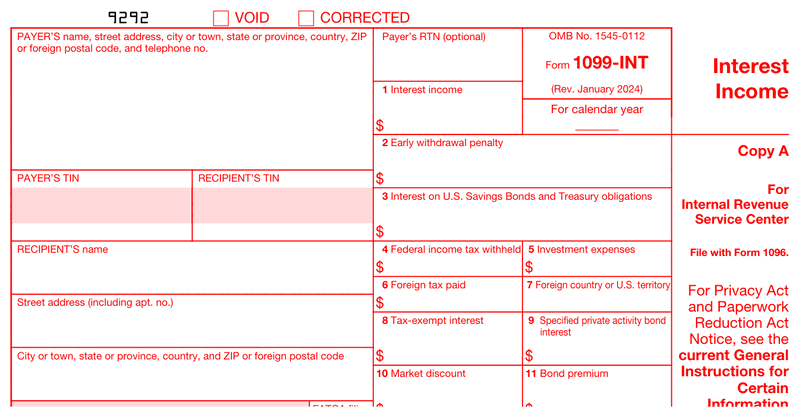
Banks and lenders use it to report $10 or more of interest paid during the year. Savers get a copy so the interest lands on their return.
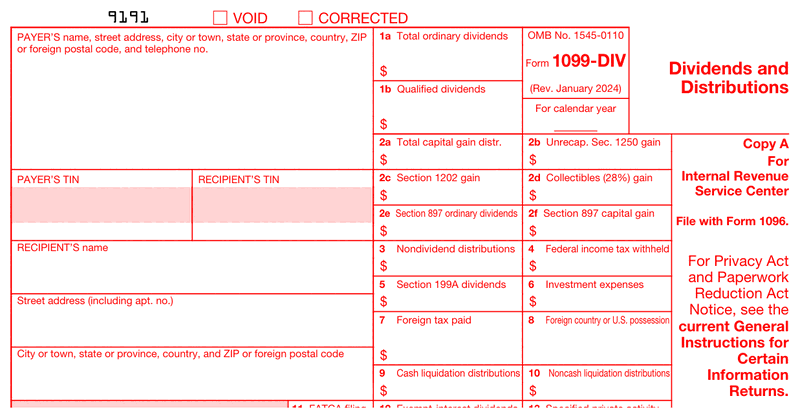
Reports dividends and capital-gain distributions from stocks and funds. Brokers file it; investors use it to fill in their 1040.
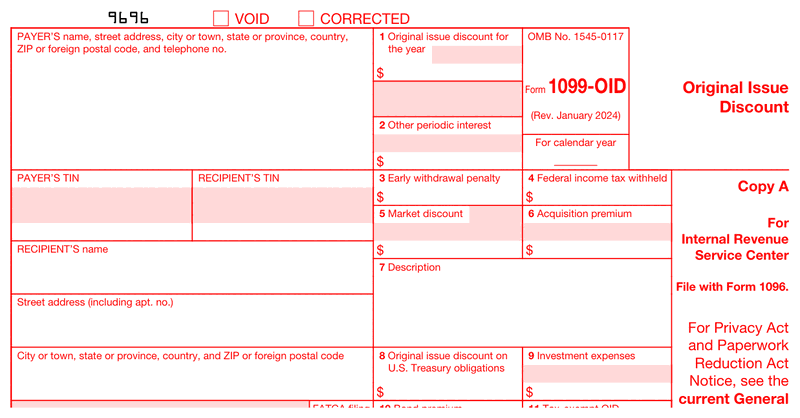
For bonds and notes issued below face value: the discount counts as taxable income over time, and the OID is where it's reported.
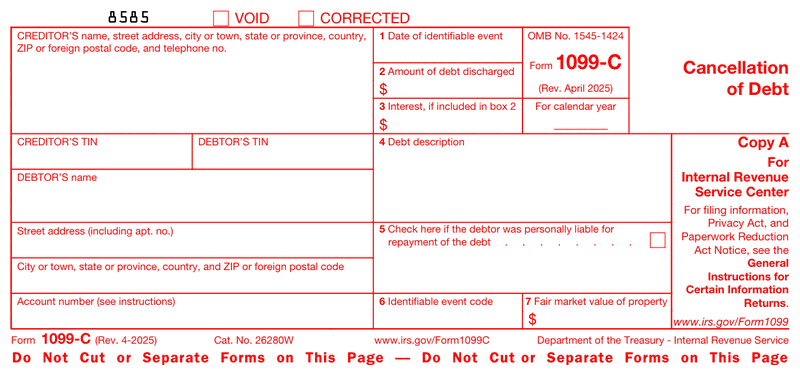
When $600 or more of a debt is forgiven, the lender reports the canceled amount here - and the borrower usually owes tax on it.
A 1099 form is an IRS document that reports money a business paid to someone who is not an employee, like a freelancer or contractor. The payer fills it out and sends copies to the worker and the IRS. The worker then uses it to report that income at tax time.
So whats a 1099 in everyday terms? It is proof that income changed hands outside of a regular paycheck. That is really all the 1099 form meaning comes down to: a paper trail for the IRS. If you have ever wondered what is a 1099 tax form compared to a tax return, the difference is simple. A return is what you file about yourself. A 1099 is what someone else files about what they paid you.
Officially, what is Form 1099? It is a whole family of IRS information returns, and the number after it (like NEC or MISC) tells you what kind of income it reports. And what is 1099 form shorthand for? Just a record that income was paid outside of a paycheck. So the short 1099 meaning is "income that was not wages." That one idea covers almost every case.
Not exactly. "1099 employee" is a common nickname, but the real term is independent contractor. If you get a 1099 instead of a W-2, no taxes were withheld from your pay, you usually set your own hours, and you handle your own taxes. That is a contractor, not a traditional employee.
So what is a 1099 employee in practice? It is someone a business pays for a service without putting them on payroll. Here is the quick contrast:
Knowing which one you are matters, because it decides which form you should get. If you are running the numbers on a past job, our guide on how to calculate W-2 wages from a paystub can help you tell the two apart. And if you do contract work, an independent contractor pay stub is a handy way to track what you have earned.
There is not just one 1099. The IRS uses a series of them, and the right one depends on the kind of income. Most small filers only ever touch the 1099-NEC, but it helps to know the rest. Here are the common ones at a glance.
| Form | What it reports | Common threshold |
|---|---|---|
| 1099-NEC | Nonemployee pay to contractors and freelancers | $2,000 |
| 1099-MISC | Rent, prizes, awards, and other income | $2,000 ($10 for royalties) |
| 1099-K | Payments through cards and apps like PayPal or Venmo | $20,000 & 200+ transactions |
| 1099-INT | Interest income from a bank | $10 |
| 1099-DIV | Dividends and distributions | $10 |
| 1099-B | Sales of stocks or other investments | Any amount |
| 1099-S | Real estate sale proceeds | Any amount |
| 1099-G | Government payments like unemployment or refunds | $10 |
For most people hiring help, the two that matter are the 1099-NEC and the 1099-MISC. The 1099-NEC covers straight contractor pay, which is the most common case. The 1099 misc form (also written 1099-misc) covers the odds and ends: rent you paid, a prize you handed out, or other income that does not fit the NEC box. When people talk about a "1099 misc," this is the one they mean. If you want to trim what you owe as a contractor, our roundup of 1099 tax deductions is worth a look.
Independent contractors, freelancers, and gig workers get a 1099 when a business pays them $2,000 or more in a year. That threshold rose from $600 for payments made after December 31, 2025. The paying business is the one that has to send it, not the worker. So if you hired a contractor and paid them $2,000-plus, that 1099 is on you.
Plenty of platforms handle this for their workers. Uber, DoorDash, Upwork, and Fiverr all issue a 1099-NEC when earnings cross the line. Payment apps come into play too, just at a much higher bar. PayPal, Venmo, Stripe, and Etsy send a 1099-K once business payments top $20,000 and more than 200 transactions in a year. Congress had briefly lowered that line to $600, but the 2025 tax law repealed it and put the higher threshold back.
Here is a mistake worth avoiding. Some contractors think they have to file their own 1099. They do not. The business that paid you issues the form, and you just report the income it shows. Curious what the finished document looks like on the receiving end? See what a 1099 pay stub looks like. So what is a 1099 form used for at the end of the day? It tells the IRS how much a business paid a worker outside of payroll. One quick tip for anyone doing the paying: track the $2,000 threshold as you go, so January is not a scramble to figure out who crossed it.
Filling out a 1099 takes just a few minutes once you have the details in front of you. Using a 1099 generator keeps the layout correct so you are not fighting the tiny boxes. Here is what a standard 1099-NEC asks for:
One quick note from working with these forms: the errors we see most are a wrong or missing TIN, the paying business getting typed into the recipient box by accident, and a Box 1 total that does not match your own records. Double-check those three before you send. Our tool flags the blanks so you are not guessing. If you would rather learn the mechanics behind the form, how to issue a 1099-MISC walks through it in more detail.
Once your forms are filled in, you have two ways to get them to the IRS. Pick the one that fits how many you have.
By paper: you cannot just print the red Copy A off a PDF, because the IRS needs the official scannable version. You order those copies from the IRS, then mail them in with a Form 1096 summary.
Electronically: the IRS runs a system called IRIS, and it is the no-cost way to file 1099 online. It is faster than paper and gives you a confirmation. This is also where a 1099 generator saves time, since you fill the form once and download a clean copy to submit and to keep.
There is a 2026 rule that catches a lot of small filers off guard. If you are filing 10 or more information returns in total, you now have to e-file. That threshold used to be 250, so a lot more people are affected this year. As for a printable 1099 form, the recipient copies are fine to print at home for your contractor. It is only the IRS Copy A that has to be the official scannable version.
Deadlines are where good intentions fall apart, so mark these now. One catch worth knowing: the 1099-NEC is due to the IRS by January 31 no matter how you file, while most other 1099s give you until February 28 on paper or March 31 electronically. The statutory dates are below, alongside the actual dates for tax year 2026, which you file in early 2027.
| Task | 1099-NEC | 1099-MISC & Most Others | Actual date, tax year 2026 |
|---|---|---|---|
| Send the recipient their copy | January 31 | January 31 | February 1, 2027 |
| File with the IRS (paper) | January 31 | February 28 | NEC February 1, 2027; others March 1, 2027 |
| File with the IRS (e-file) | January 31 | March 31 | NEC February 1, 2027; others March 31, 2027 |
Missing these is not free. Late or missing 1099s carry a penalty for each form, and it climbs the longer you wait, so filing on time is the cheapest move you can make.
Two years are usually in play, so check which one applies to you. A 1099 for tax year 2025 reports money you were paid during 2025. It should have reached you by February 2, 2026, and if you extended, your return is due October 15, 2026. A 1099 for tax year 2026 reports what you are paid this year and is due to you by February 1, 2027.
| Tax year | Paid during | 1099 due to you | Return due |
|---|---|---|---|
| 2025 | 2025 | February 2, 2026 (passed) | April 15, 2026, or October 15, 2026 with an extension |
| 2026 | 2026 | February 1, 2027 | April 15, 2027 |
One change is worth flagging if you are comparing years. For payments made after December 31, 2025, the reporting threshold rose from $600 to $2,000, and it is indexed for inflation after 2026. So a 1099 form 2025 search covers the old $600 rule, while 1099 form 2026 falls under the new one. You still owe tax on income whether or not a 1099 shows up, so keep your own record of what each client paid you.
Totals, boxes and carried amounts calculate themselves - the most common IRS rejection reasons just don't happen.
Your PDF follows the official 2026 layout, ready to print, send or e-file with your provider.
Fill everything in and preview the finished form free. You only pay when you download.
Filing for several contractors? The per-form price drops automatically as you create more.
Enter your
information
Preview
your form
Download
your form
The blank form from the IRS does not cost anything. Our 1099 generator lets you preview your form free and pay only when you download it, with no subscription and no watermark on your document. You get a clean, ready-to-send PDF the moment you are done.
If you skip a required 1099, the IRS can charge a penalty for each form, and the amount grows the later you file. Leaving one out can also raise questions about a contractor's unreported income. Filing on time, even a little late, is far cheaper than ignoring it.
A W-2 goes to employees and shows taxes that were already withheld from their pay. A 1099 goes to contractors and shows income with nothing withheld. If you got a 1099, you are responsible for your own taxes on that money, which is the big thing to plan for.
Most payments to C corporations and S corporations do not need a 1099, and neither do totals under $2,000 for the year. Personal payments are also exempt, so buying something for yourself or splitting dinner with a friend never counts. Business payments for services are the ones to watch.
You can print the copies you give your contractor with no problem. The catch is the IRS Copy A, which has to be the official scannable form, not a plain home printout. Our generator gives you clean recipient copies, and you file Copy A through the IRS or its e-file system.
Fill out our contact form, and we will get back to you as soon as we can!
Contact us Hi! How can I help you?  Kris
Kris