 Our customer support is available 24/7:


Adp Check Stubs: How To View Pay Stubs On Adp

Accessing your ADP paystub can be a bit challenging. However, you need to understand it for effective money management. You should be able to know how to read a pay stub that shows your income, especially your ADP check stubs.
This article explains how to get an ADP paystub if your company uses ADP for payroll processing. However, if you want to create your paystub quickly and easily, you can use an online check stub creator.
Below, we cover step-by-step instructions on how you can access your ADP check stubs. We also provide answers to some frequently asked questions to help you navigate the process effortlessly.
What's an ADP Check Stub / Pay Statement?
ADP check stubs are electronic documents or official documents that contain employees' entire earnings. It also includes your other payroll information. ADP processes your payroll. It creates your pay stub based on information your employer provides. It's your official pay statement. It shows your gross pay, hours worked, your deductions, and net pay for a specific pay period. It also contains the necessary information on your taxes withheld. This includes federal income tax, Social Security and Medicare, state and local taxes (if applicable).
This pay stub or pay statement can be used in different ways. You can use it to:
File your taxes
Budget your finances
How To Access Your ADP Payroll Pay Stub
You must be an employee of a company that uses ADP for payroll processing to access your ADP pay stub online. Before you log in, your employer is required to give you a registration code. This is the first step to accessing your ADP check stubs. Then, here's how it works:
1. ADP Registration With Your Registration Code
You’d have to begin your ADP registration. First, go to the ADP login page and click "Register Now." This will take you to the ADP registration page. Then, input the registration code your employer gave you. You will then create your user ID, password, and security questions.
2. Login Screen
Return to the ADP login screen. ADP will ask you for your user ID and password to log you into your ADP account.
3. Accessing Paystubs Through the ADP Workforce Portal
The on-screen menu will differ according to each employer's design. However, your pay statements and ADP pay stubs will be under a tab or button with a clear title to help you navigate accordingly. This is part of the ADP workforce portal. This is how to see pay stubs on ADP.
Pro Tip: If you're looking for alternative ways to create your pay documents, you can create free pay stubs. You only need to enter your employee details and generate it instantly.
Troubleshooting Common ADP Login Issues
Here are some common problems you might encounter and how you can resolve them:
Username Problems: You may have forgotten your user ID. What you should do is to simply select the "Forgot Your ID/Password" link on the ADP login page. This can help you resolve the issue.
Forgot Password: If you forget your password, click "Forgot Your Password" and follow the instructions. You'll need to answer your security questions to reset it. Then, log in to the application using your User ID and new password.
Locked Out: If you cannot access your ADP account, contact your company's payroll department or your employer's HR. They can help correct the issues and reset your account.
Multiple Employers: If you work for multiple employers who use ADP, you may need a separate account for each employer. You’ll do this unless they enable the ADP’s Multi-Employer Access feature. This feature allows multiple companies to have access under one login. Otherwise, you’ll need to create separate accounts.
Browser Issues: If you are having trouble logging into your account, clear your browser cache or cookies. You can also try using another browser.
Phone Number Issues: There may be cases where you can't get into ADP because of phone number issues during verification. You should contact your payroll administrator immediately.
Other Common Issues: If you have any other problems, you can contact ADP customer service for assistance.
How To Save Your ADP Paystubs or Pay Statements as PDF
Once you've been able to view your paystub, you can easily save it as a PDF for later. Here's how:
Open the pay period to review all the details of your earnings and deductions.
Click on the download or print option. This will open a PDF of your ADP paystub for you to download.
After downloading, select a secure folder on your computer where you can save the PDF. It’s advisable to have one folder for all your pay statements.
How To Print Your ADP Payroll Stubs
You may prefer to have a hard copy of your pay stub instead. You can just print your pay stub directly from the ADP portal:
Open the Paystub: Find and open the pay period you want to print.
Print Option: Look for a print icon on the opened ADP check stubs. Tap on it to print your ADP check stubs.
Print Settings: This will open a print dialogue box. Select your printer and adjust any settings.
Print Confirmation: Click "Print" to confirm and send the paycheck stub to your printer.
How to Find Pay Stubs on the ADP App Using the ADP Mobile Solutions App
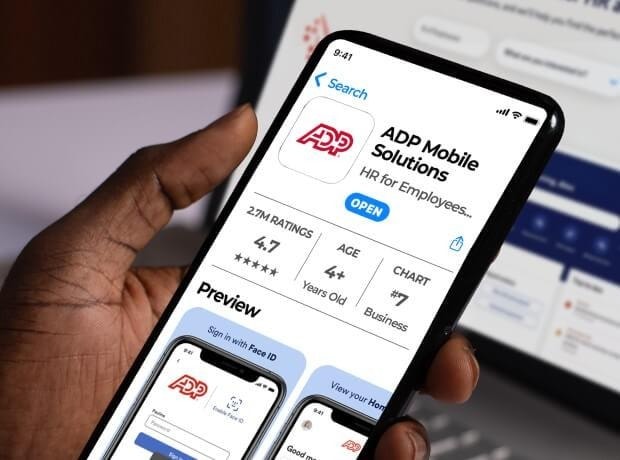
You may be thinking of how to find pay stubs on ADP app. You can also access your pay stubs using your ADP mobile device. You just need to download the ADP Mobile Solutions app. The process is simple:
Download the ADP Mobile Solutions app.
Log in with your user ID and password.
On the home screen, tap the "Pay" icon.
Locate and select a section entitled "Statements & Activity".
Then, select a pay date and "View Statement" to see the details of your paycheck.
Final Thoughts
Easy access to your pay stubs through ADP empowers you to manage your finances and track your salary. With the ADP portal, you can estimate your earnings at any time. Understand how to manage your pay stubs effectively. This can help you take control of your financial well-being.
Our check stub maker can help you get clear and complete pay stubs whenever you need them. If you need them quickly, we have a solution. Use them for loan applications, rental agreements, or personal records. Let's help you create reliable pay stubs now!

